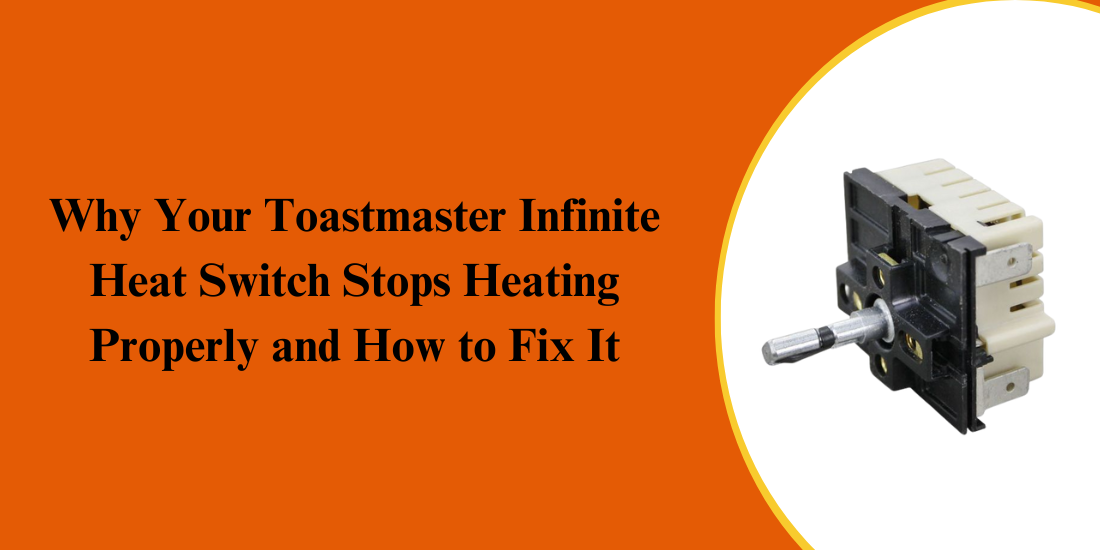
The infinite heat switch in a Toastmaster heater is a crucial component that regulates the flow of electricity to the heating element, ensuring your appliance heats efficiently and safely. When the switch malfunctions, your Toastmaster appliance may fail to reach the desired temperature, heat inconsistently, or stop heating entirely. Problems can arise over time due to wear and tear, burnt or corroded contacts, dirt buildup, or faulty wiring, often caused by aging switches, heavy usage, or electrical issues. Repairing or replacing the switch with proper Toastmaster replacement parts restores reliable heating performance.
This guide covers:
- Common reasons the Toastmaster infinite heat switch stops working
- Step-by-step methods to diagnose and fix heat switch issues
- Maintenance tips to extend switch life and prevent future heating problems
Knowing when and how to repair or replace your Toastmaster infinite heat switch with quality parts ensures consistent heating, appliance safety, and long-term performance in commercial settings.
Common Reasons the Toastmaster Infinite Heat Switch Stops Working
The infinite heat switch in Toastmaster appliances regulates heating levels. Malfunctions often stem from wear, faulty wiring, or damaged components, requiring proper diagnosis.
Worn or Burned-Out Switch Contacts
Over time, the contacts inside the infinite heat switch can wear out or become burnt due to repeated electrical arcing. This is especially common in older Toastmaster appliances that have been heavily used. When contacts degrade, the switch may intermittently fail, cause uneven heating, or completely stop delivering power to the heating element.
- Appliance heats unevenly or only at certain settings
- Hissing or sparking noises from the switch area
- Complete failure to heat on any setting
Replacing the switch or its internal contacts is often necessary to restore full functionality.
Accumulation of Dirt and Grease
Kitchen environments are prone to grease, dust, and food debris accumulating inside appliances. In Toastmaster heaters, this buildup can interfere with the switch mechanism or the heating element, reducing electrical contact efficiency.
- The switch feels sticky or difficult to turn
- Inconsistent heat output
- Smell of burning grease during operation
A thorough cleaning with proper electrical-safe solutions can sometimes resolve these issues without requiring part replacement.
Faulty Heating Element
Sometimes the issue is not the infinite heat switch itself, but the heating element it controls. A damaged or broken Toastmaster heater element can cause symptoms identical to a malfunctioning switch.
- One setting works while others don’t
- No heat despite switch movement
- Visible damage or breaks in the heating coil
Inspecting the heating element and testing continuity with a multimeter helps determine whether the problem lies with the switch or the heater element.
Loose or Corroded Wiring
Electrical connections behind the switch can become loose or corroded over time, preventing proper current flow. In commercial kitchen setups or heavily used appliances, this is a common cause.
- The appliance heats only when switch is in a specific position
- Intermittent heating
- Sparks or flickering when adjusting heat
Checking wiring connections and tightening screws or replacing corroded wires can restore reliable heating.
Manufacturing Defects or Wear and Tear
In rare cases, a Toastmaster heater may fail due to manufacturing defects or natural wear and tear. Regular use gradually degrades internal components, and the infinite heat switch is one of the most vulnerable parts.
- The switch clicks, but no heat is produced
- Appliance fails soon after replacement
- Inconsistent performance
Using genuine Toastmaster replacement parts ensures that your repair is reliable and that the appliance performs like new.
How to Diagnose Heat Switch and Heating Issues
Proper diagnosis is the first step in fixing your Toastmaster heater. With a few tools and safety precautions, you can determine whether the infinite heat switch, heating element, or wiring is causing the problem.
1. Safety First: Power Down
Before inspecting or testing, unplug your Toastmaster appliance or turn off the breaker to prevent electrical shock. Working on live circuits is extremely dangerous and can permanently damage the appliance.
2. Visual Inspection
Start by removing the outer housing to access the infinite heat switch and heating element. Inspect for burnt contacts, loose wiring, accumulated dirt or grease, and any broken or damaged heating elements. Many issues are immediately visible and can often be fixed on the spot.
3. Test the Infinite Heat Switch
Use a multimeter on the ohms setting to test continuity across the switch terminals. A working switch shows smooth continuity changes with dial rotation; failures indicate the switch may need replacement.
4. Inspect the Heating Element
Test the heating element for continuity using the multimeter. An intact element should have a consistent resistance reading. If the reading shows an open circuit (infinite resistance), the element is broken and requires replacement.
5. Check Wiring and Connections
Ensure all wires leading to and from the switch and heating element are secure. Look for corrosion or broken strands. Tighten loose screws and replace damaged wires with approved Toastmaster replacement parts to maintain safety and performance.
Step-by-Step Fixes to Restore Your Toastmaster Heating
Once the issue is diagnosed, you can take appropriate steps to restore your Toastmaster heater to full functionality.
1. Cleaning the Infinite Heat Switch
- Unplug the appliance.
- Remove the switch housing carefully.
- Use electrical contact cleaner or isopropyl alcohol with a soft brush to remove dirt and grease.
- Rotate the switch to ensure smooth movement.
- Reassemble and test the appliance.
2. Replacing the Infinite Heat Switch
- Purchase a genuine Toastmaster replacement part.
- Disconnect all wires from the faulty switch, labeling them for easy reinstallation.
- Remove the mounting screws and take out the defective switch.
- Install the new switch, reconnect wires, and secure it with screws.
- Test all heat settings to confirm functionality.
3. Replacing the Heating Element
- After confirming the element is faulty, order a Toastmaster replacement part matching your model.
- Disconnect the element’s wires and remove any mounting brackets.
- Install the new element, reconnect wires securely, and test for continuity before powering the appliance.
- Reassemble the housing and run a test cycle to ensure even heating.
4. Repairing Wiring Issues
- Tighten loose terminal screws and connections.
- Replace any corroded or frayed wires with properly insulated wires rated for the appliance.
- Ensure all connections are secure and no bare wires are exposed.
- After repair, test the appliance on all heat settings to confirm restoration.
Preventive Maintenance Tips to Keep Your Toastmaster Working
Prevention is always better than repair. Regular maintenance of your Toastmaster heater can extend its lifespan and reduce the need for frequent repairs.
- Clean Regularly: Regularly wipe external surfaces to prevent grease buildup, open housing panels periodically to remove dust and debris, and use electrical-safe cleaners on switches and connections for optimal performance.
- Inspect Components: Regularly inspect the infinite heat switch and heating element for wear, tighten any loose wires or screws, and promptly replace worn parts with genuine Toastmaster replacement parts.
- Avoid Overuse: Avoid using the appliance at maximum settings for long periods. Allow it to cool between heavy use to prevent overheating and ensure safe, efficient operation.
- Use Proper Settings: Always follow the manufacturer-recommended temperature settings for each cooking task, and avoid tampering with the switch or making makeshift repairs that could void warranties or damage components.
- Schedule Professional Maintenance: For commercial kitchens, arrange routine servicing with qualified technicians. Regular inspections detect minor issues early, preventing expensive repairs and ensuring your Toastmaster appliances operate safely and efficiently.
A malfunctioning infinite heat switch can disrupt the performance of your Toastmaster appliances, but with proper diagnosis, repair, and preventive care, most issues can be resolved quickly and safely. Whether you need to replace a worn switch, clean dirty contacts, or swap out a broken Toastmaster heater element, using genuine Toastmaster replacement parts ensures reliability and longevity. Regular maintenance and careful usage keep your appliance operating at peak efficiency. By following these tips, your Toastmaster appliance will continue to provide consistent, reliable heating for years to come.
PartsFeCA provides coffee machine, fryer, and oven parts with fast shipping across Canada, supplying high-quality restaurant equipment parts to support your restaurant’s daily operations.
FAQ’s
1. Why is my toaster not heating up?
Your toaster may not heat due to a faulty heating element, malfunctioning switch, loose wiring, or accumulated dirt inside the appliance.
2. Can you reset a toaster?
Yes, you can reset a toaster by unplugging it, waiting a few minutes, and then plugging it back in safely.