


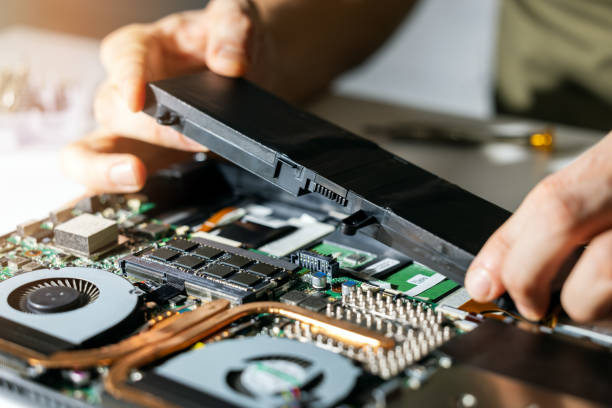
In today’s fast-paced world, laptops have become essential tools for both work and leisure. Whether you’re a student, a professional, or a casual user, the longevity of your laptop battery plays a crucial role in your overall experience. So, how long should a laptop battery last on average? Let’s dive into this topic, exploring factors that influence battery life and when you might need a laptop battery replacement.
Average Battery Life
On average, most modern laptops come equipped with lithium-ion batteries that can last anywhere from 3 to 8 hours on a single charge. High-performance laptops, like gaming machines, tend to fall on the lower end of that spectrum due to their power-hungry components. In contrast, ultrabooks and devices specifically designed for efficiency can often stretch their battery life to 10 hours or more. Manufacturers typically measure battery life under ideal conditions, meaning real-world usage might yield shorter durations. Therefore, users often experience varied battery life depending on their usage patterns.
Factors Influencing Battery Life
Several factors impact how long your laptop battery will last:
- Usage Patterns: Heavy tasks such as gaming, video editing, or running multiple applications simultaneously can drain your battery much faster than web browsing or document editing.
- Screen Brightness: A brighter screen uses more power. Lowering your screen brightness can extend battery life significantly.
- Background Applications: Programs running in the background can consume resources. Closing unused applications can help prolong battery longevity.
- Battery Age and Health: Over time, a battery’s capacity diminishes due to charge cycles. A battery that once lasted 8 hours may only hold 5 hours of charge after a couple of years, which may indicate the need for a laptop battery replacement.
- Environmental Factors: Extreme temperatures can adversely affect battery performance. Cold weather can reduce battery life, while excessive heat can lead to faster degradation.
- Power Settings: Utilizing power-saving modes can help manage how your laptop uses energy, thereby extending battery life.
Signs You Need a Laptop Battery Replacement
Recognizing when it’s time for a laptop battery replacement can be crucial for maintaining productivity. Here are some signs to look out for:
– Rapid Battery Drain: If you notice your battery depleting quickly even with minimal usage, it may be time to consider a replacement.
– Overheating: Excessive heat can signal that the battery is struggling to hold a charge or is malfunctioning.
– Physical Damage: Swelling, cracks, or any other visible damage to the battery can compromise safety and performance.
– Error Messages: Some laptops will notify users with messages indicating that the battery is not functioning properly.
– Battery Health Reports: Many laptops provide software that reports battery health. If the health percentage drops significantly (usually below 80%), it’s advisable to think about a laptop battery replacement.
Extending Your Laptop Battery Life
Before rushing to replace your battery, there are several strategies you can employ to extend your laptop’s battery life:
- Adjust Power Settings: Utilize built-in power management settings to optimize battery performance. These settings can adjust your CPU speed and other parameters to conserve energy.
- Regular Maintenance: Keep your laptop clean and updated. Over time, dust can accumulate in fans and vents, leading to overheating and reduced battery performance.
- Use Battery Calibration: Some users may benefit from calibrating their batteries. This process involves fully charging and then discharging the battery to help maintain its health.
- Limit Resource-Intensive Applications: Try to avoid running resource-heavy applications when on battery power. This can significantly conserve energy.
- Invest in a High-Quality Battery: If you do need a laptop battery replacement, choose high-quality batteries from reputable manufacturers. OEM batteries may be more reliable than third-party options.
Conclusion
The average lifespan of a laptop battery can vary widely based on several factors, from usage habits to environmental conditions. On average, users can expect anywhere from 3 to 10 hours of battery life, depending on the device and how it’s used. However, as batteries age, their capacity diminishes, making it important to monitor performance and recognize when a laptop battery replacement is necessary. By understanding the signs of battery wear and implementing strategies to extend battery life, users can maximize their laptop’s performance and longevity. With the right care, you can ensure that your laptop remains a reliable companion for years to come.




