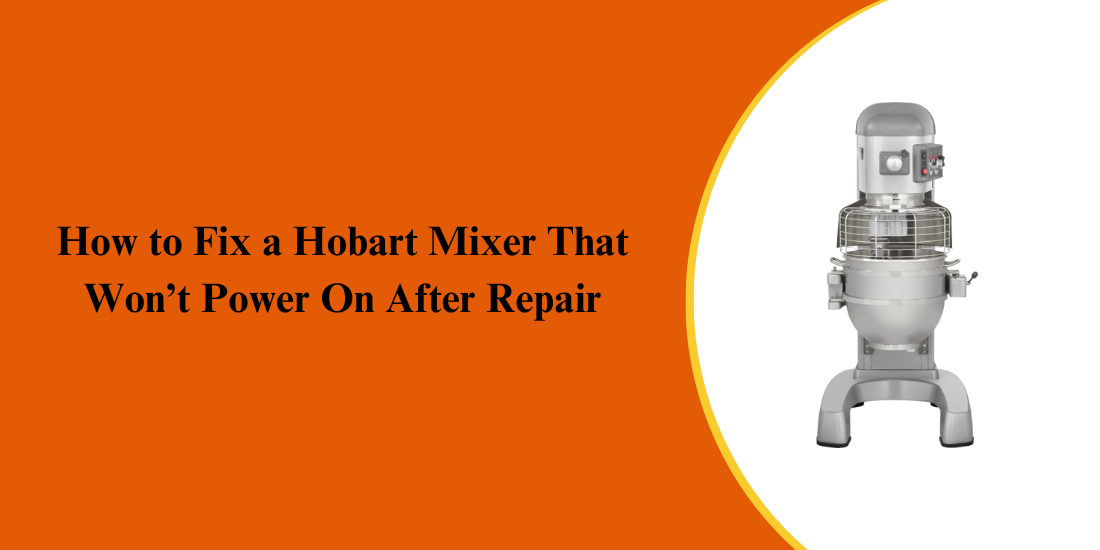
Hobart mixers are a staple in commercial kitchens, bakeries, and food production facilities due to their rugged construction, precise mixing capabilities, and long service life. Like all commercial foodservice equipment, they rely on multiple electrical, mechanical, and safety-related components working together seamlessly. When even one Hobart part—such as a switch, fuse, motor component, or safety interlock—is misaligned, improperly installed, or malfunctioning, especially after a repair, the mixer may fail to power on, disrupting kitchen operations and productivity.
Understanding the common failure points in Hobart parts is critical for operators and technicians aiming to restore proper operation. Early identification of faulty or incorrectly installed parts ensures accurate Hobart mixer troubleshooting, prevents repeated breakdowns, and reduces costly downtime. Below, we outline the most common reasons a Hobart mixer won’t power on after repair, along with practical diagnostic steps and professional solutions to replace or repair Hobart parts, helping your mixer run reliably again.
Common Signs a Hobart Mixer Fails to Power On
Identifying power-related issues early is essential to minimizing downtime and preventing larger electrical failures in a commercial kitchen. A Hobart mixer may stop powering on gradually, and recognizing the warning signs helps operators take corrective action before the problem worsens—especially after a recent repair.
- No Response When the Power Switch Is Turned On: One of the clearest signs of a problem is complete inactivity when the mixer is switched on. There may be no indicator lights, no motor sound, and no movement at all. This often points to power supply issues, loose wiring, or a tripped safety or overload circuit.
- Intermittent Power or Sudden Shutdowns: If the mixer powers on briefly and then shuts off without warning, it may indicate loose internal connections, improperly installed Hobart parts, or an overload protection issue triggered during operation.
- Control Panel or Indicator Lights Not Illuminating: On digital models, a blank display or unlit indicator lights suggest that power is not reaching the control board. This can result from blown fuses, damaged wiring, or incorrect reassembly after repair.
- Mixer Powers On but Does Not Run: In some cases, the mixer appears powered, but the motor does not engage—commonly described as a Hobart mixer not spinning. This may be caused by faulty safety interlocks, a misaligned bowl lift switch, or motor connection problems.
- Displayed Hobart Mixer Error Codes: Certain models show error codes when a fault is detected. These Hobart mixer error codes often signal electrical, motor, or safety system issues that prevent the unit from starting.
Recognizing these early warning signs allows for timely troubleshooting, reduces unnecessary downtime, and helps prevent more extensive damage to critical Hobart mixer components.
Most Common Reasons a Hobart Mixer Won’t Power On After Repair
Understanding why a Hobart mixer fails to power on after a repair is critical to preventing repeat breakdowns and unnecessary part replacements. In most cases, the problem is not a major failure but a small issue introduced during servicing. These causes typically fall into a few key categories: electrical connection problems, safety system interruptions, and component or installation errors.
-
Loose or Incorrectly Reconnected Wiring
During repairs, internal wiring is often disconnected to access motors, control boards, or switches. If a connector is not fully seated, placed on the wrong terminal, or pinched during reassembly, power may not reach the mixer. Even one loose wire can prevent the unit from starting.
-
Tripped Overload or Reset Protection
Many models include a thermal overload system to protect the motor. After repair or testing, this protection may trip, requiring the Hobart mixer reset button to be manually pressed before power is restored. This step is frequently overlooked.
-
Misaligned Safety Interlock Switches
Hobart mixers rely on bowl guard and bowl lift safety switches. If these are not aligned correctly after repair, the mixer will not power on—even though electricity is available. This is a common reason operators report a mixer that appears inactive.
-
Incorrect or Incompatible Hobart Parts
Installing the wrong replacement switch, fuse, or control component can interrupt power flow. Using non-approved or incompatible Hobart parts often leads to startup failures or repeated shutdowns.
-
Control Board or Contactor Issues
Sensitive electrical components can be damaged by static discharge or improper handling. Faulty boards may also trigger Hobart mixer error codes, preventing startup.
By identifying the exact cause, technicians can apply the correct fix, avoid repeat service calls, and restore reliable mixer operation.
Step-by-Step Instructions to Troubleshoot a Hobart Mixer That Won’t Start
Systematic troubleshooting is the most effective way to identify why a Hobart mixer won’t start after repair. Following a step-by-step process helps isolate the issue quickly while preventing further damage to internal components or newly installed parts.
Step 1: Disconnect Power and Verify the Electrical Supply
Start by unplugging the mixer or shutting off the breaker if it is hardwired. Inspect the outlet or power connection and confirm the correct voltage is being supplied. Power issues outside the mixer can easily be mistaken for internal failures.
Step 2: Inspect the Power Cord and External Connections
Check the power cord, plug, and strain relief for damage, looseness, or exposed wiring. Any defects here can interrupt electrical flow and prevent the mixer from powering on.
Step 3: Check Internal Fuses and Circuit Protection
Open the mixer housing and inspect internal fuses or breakers. A blown fuse often indicates an overload or wiring issue that occurred during or after repair. Replace only with the correct-rated Hobart parts.
Step 4: Press the Hobart Mixer Reset Button
Locate the thermal overload reset near the motor and press it firmly. If the mixer overheated during testing, this reset may immediately restore power.
Step 5: Inspect Wiring and Safety Interlocks
Examine all wiring connections disturbed during the repair. Ensure the bowl lift, bowl guard, and attachment safety switches are properly aligned and engaging fully. Misaligned interlocks are a common cause of startup failure.
Step 6: Test Controls, Motor, and Error Indicators
If the mixer powers on but the motor does not run—often described as a Hobart mixer not spinning—inspect the contactor and motor connections. For digital units, review any Hobart mixer error codes to pinpoint control or sensor faults.
Following these steps methodically ensures accurate Hobart mixer troubleshooting and helps restore reliable operation with minimal downtime.
Preventive Maintenance Tips to Avoid Power Failures
Preventive maintenance plays a critical role in keeping a Hobart mixer operating reliably and avoiding unexpected power failures after repairs. Consistent upkeep not only extends equipment lifespan but also reduces downtime and costly service calls in busy commercial kitchens.
- Perform Routine Electrical Inspections: Regularly check internal wiring, terminals, and connectors for looseness or wear. Vibration from daily mixing can gradually loosen connections, leading to intermittent power loss or startup failures. Addressing these issues early prevents larger electrical problems.
- Keep the Mixer Clean and Dry: Flour dust, grease, and moisture can interfere with electrical components and cooling airflow. Clean the mixer exterior and ventilation areas frequently to reduce heat buildup that could trigger the Hobart mixer reset button.
- Use Correct Hobart Parts for Repairs: Always install manufacturer-approved Hobart parts when replacing switches, fuses, or control components. Incorrect or incompatible parts can disrupt electrical flow, cause startup issues, or generate Hobart mixer error codes.
- Avoid Overloading the Mixer: Operating the mixer beyond its rated capacity increases motor temperature and electrical overload. Repeated overloading can lead to thermal shutdowns, motor damage, or situations where the Hobart mixer is not spinning even though it has power.
- Test After Every Repair or Adjustment: After maintenance, run the mixer through all speeds and load conditions. This ensures safety interlocks are aligned, wiring is secure, and the motor operates smoothly before returning the unit to service.
- Schedule Professional Preventive Service: Periodic inspections by qualified technicians help identify early signs of electrical wear or control issues. Proactive servicing supports effective Hobart mixer troubleshooting and keeps your equipment running efficiently and safely over the long term.
Conclusion: Keep Your Hobart Mixer Running Smoothly After Repairs
Ensuring your Hobart mixer powers on reliably after a repair is crucial for smooth kitchen operations. Recognizing early signs of trouble, performing proper Hobart mixer troubleshooting, and correctly installing or replacing components helps prevent downtime, protects sensitive motor and control parts, and maintains consistent performance.
Key Takeaways:
- Ignoring issues like a mixer not spinning or intermittent power can allow minor wiring or safety switch problems to worsen.
- Loose or damaged wiring, misaligned safety interlocks, or improperly connected Hobart parts are common causes of startup failure.
- Failing to press the Hobart mixer reset button after thermal overload may prevent the mixer from powering on.
- Using incompatible replacement parts can disrupt electrical flow, trigger Hobart mixer error codes, and reduce reliability.
- Routine inspections, preventive maintenance, and post-repair testing help detect misaligned switches, motor issues, or control board faults early.
- Maintaining a service log supports long-term reliability, identifies recurring issues, and prolongs mixer life.
Following these steps ensures your Hobart mixer operates safely and efficiently after repairs.
PartsFe, your dependable source for commercial cooking equipment parts, ice machines, grills, and hardware replacement parts—ships quickly from top brands to minimize downtime. Find the parts you need for the lowest prices.
FAQ’s
1. How do I reset a Hobart mixer?
Unplug the mixer, wait 5–10 minutes, check the overload reset or circuit breaker if equipped, then reconnect power and test operation.
2. Why is my mixer suddenly not working?
Common causes include power supply issues, tripped overload protection, faulty switches, blown fuses, or internal wiring problems after recent use or repair.
3. Where is the fuse on a Hobart mixer?
The fuse is typically located inside the control housing or rear access panel, near the power switch or control board, depending on the model.