

Mastering Playlists: How to Curate the Ultimate Music Collection on YouTube Music

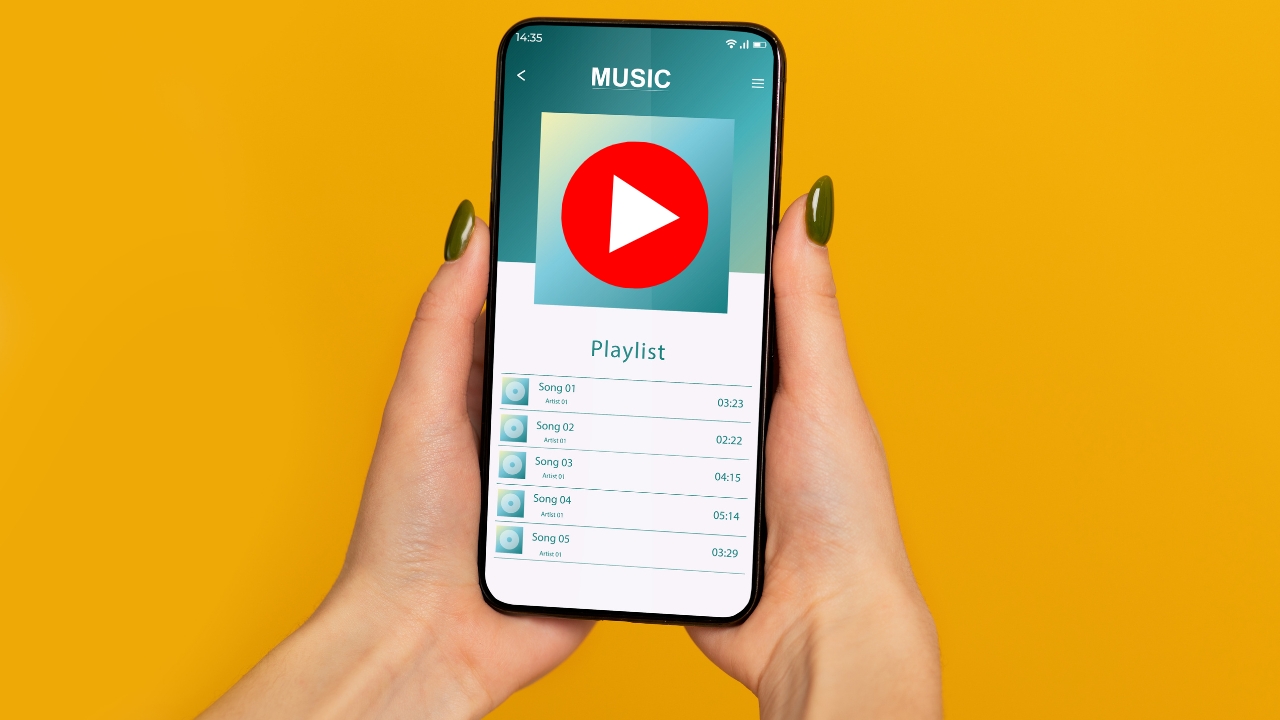
In the digital era of music streaming, playlists have become the new mixtapes, offering listeners a way to organize their favorite tracks, explore new genres, and share their musical tastes with the world. Among the numerous platforms available, YouTube Music stands out with its vast music library and user-friendly interface, making it easier than ever to curate the perfect playlist. But creating a truly exceptional playlist goes beyond simply adding a bunch of songs together. It’s about mastering the art of curation, blending tracks to create a seamless and enjoyable listening experience. In this article, we will explore how to curate the ultimate music collection on YouTube Music, transforming your playlist into a masterpiece that reflects your unique taste and mood.
The Art of Curation in Music Streaming
Curation is an art form, one that requires attention to detail, an understanding of musical flow, and a deep knowledge of the emotions and atmospheres that different songs evoke. In the world of music streaming, where millions of tracks are available at your fingertips, curation helps you navigate the vast sea of music, allowing you to build a collection that resonates with your personal preferences and the experiences you wish to create.
A well-curated playlist is more than just a collection of songs; it’s a journey. It can tell a story, set a mood, or enhance an experience. Whether you’re curating a playlist for a specific event, a particular emotion, or simply to reflect your evolving taste, mastering playlist curation can elevate your music listening experience to new heights.
Why Curation Matters: The Power of Playlists
Playlists are a powerful tool in the music streaming world. They allow listeners to craft their own musical journeys, exploring new sounds while holding on to their favorites. For many, playlists serve as a personal soundtrack to their lives, accompanying them through workouts, work sessions, road trips, and relaxation. But the true power of playlists lies in their ability to convey emotions, tell stories, and create memories.
When you curate a playlist, you’re not just organizing songs; you’re shaping an experience. You have the power to evoke nostalgia, inspire creativity, or energize your day. A well-crafted playlist can transport you to different times and places, making it a deeply personal and meaningful creation.
How to Create a Playlist on YouTube Music
Now that we’ve established the importance of curation, let’s dive into the practical steps of creating a playlist on YouTube Music. The platform offers a user-friendly experience, allowing you to build and manage playlists with ease.
- Starting Your Playlist:
- Open YouTube Music and log into your account.
- Use the search bar to find a song you want to include in your playlist.
- Click on the three-dot menu next to the song title, then select “Add to playlist.”
- Choose “Create new playlist” to start a fresh collection.
- Naming Your Playlist:
- Give your playlist a name that reflects its theme or purpose. Whether it’s “Summer Vibes,” “Chill Beats,” or “Workout Anthems,” the name should capture the essence of the playlist.
- You can also add a description to give context or share the inspiration behind the playlist.
- Adding More Songs:
- Continue adding songs to your playlist by repeating the steps above. Remember, the key to a great playlist is variety, so mix up genres, tempos, and moods to keep it interesting.
- Explore YouTube Music’s recommendations, based on the songs you’ve already added, to discover tracks that might fit your playlist’s vibe.
- Organizing Your Playlist:
- Once you have a selection of songs, it’s time to organize them. Drag and drop tracks within the playlist to arrange them in a way that creates a smooth flow from one song to the next.
- Consider the journey you want your listener to take. Start with an attention-grabbing track, build momentum, and then wind down with something more relaxed.
- Fine-Tuning Your Playlist:
- After organizing your tracks, listen through your playlist from start to finish. Pay attention to how the songs transition from one to the next. If any track feels out of place, consider moving it or removing it altogether.
- You can always come back to your playlist to make adjustments, add new songs, or remove tracks that no longer fit.
Advanced Curation Techniques: Taking Your Playlist to the Next Level
Creating a basic playlist is simple, but mastering the art of curation requires a bit more finesse. Here are some advanced techniques to help you craft a playlist that stands out:
- Set a Clear Theme or Mood:
- Decide on the overall theme or mood of your playlist before you start adding songs. This could be anything from “Rainy Day Jazz” to “Feel-Good Pop Hits.” A clear theme will guide your song choices and help create a cohesive listening experience.
- Balance Familiarity with Discovery:
- A great playlist strikes a balance between familiar tracks and new discoveries. Include some of your all-time favorites, but also mix in lesser-known songs or new releases that fit the theme. This keeps the playlist fresh and exciting.
- Consider the Flow:
- The order of songs in a playlist is crucial. Think about how one song transitions into the next. Avoid abrupt changes in tempo or genre unless it’s intentional. Instead, create a flow that feels natural and enhances the listening experience.
- Use Interludes and Instrumentals:
- To add depth to your playlist, consider including interludes, instrumentals, or spoken word pieces that fit the theme. These can serve as transitions between sections of your playlist, adding variety and interest.
- Update Regularly:
- A playlist is a living document. Don’t be afraid to update it regularly, removing songs that no longer fit and adding new ones that do. This keeps your playlist fresh and relevant.
Sharing Your Playlist with the World
Once you’ve crafted the perfect playlist, it’s time to share it. YouTube Music makes it easy to share your playlist with friends, family, or even the broader YouTube community.
- Sharing via Link:
- You can share your playlist by generating a shareable link. This allows anyone with the link to access and enjoy your playlist, whether they’re on YouTube Music or not.
- Collaborative Playlists:
- If you want to create a playlist with friends, YouTube Music offers a collaborative playlist feature. Invite others to contribute songs, creating a shared musical experience.
- Social Media:
- Share your playlist on social media platforms like Facebook, Twitter, or Instagram. Include a brief description or story about why you created the playlist and what it means to you.
Conclusion
Curating the ultimate playlist on YouTube Music is both an art and a science. It requires careful consideration of song selection, flow, and theme. But with a little practice, anyone can master the art of playlist curation, creating collections that not only reflect their personal taste but also provide a memorable listening experience for others.
Whether you’re creating a playlist for yourself, your friends, or the world, remember that the key to a great playlist is passion. Let your love for music guide you, and don’t be afraid to experiment with different styles and genres. With YouTube Music, the possibilities are endless.






